August 4, 2026 · asma
10 Best SEO Toolbar Chrome Extensions for Smarter Website Analysis
Discover the 10 best SEO toolbar Chrome extensions for website analysis, keyword research, backlink analysis, on-page SEO, technical audits, and competitor research. Compare the top SEO tools to find the best extension for your workflow.
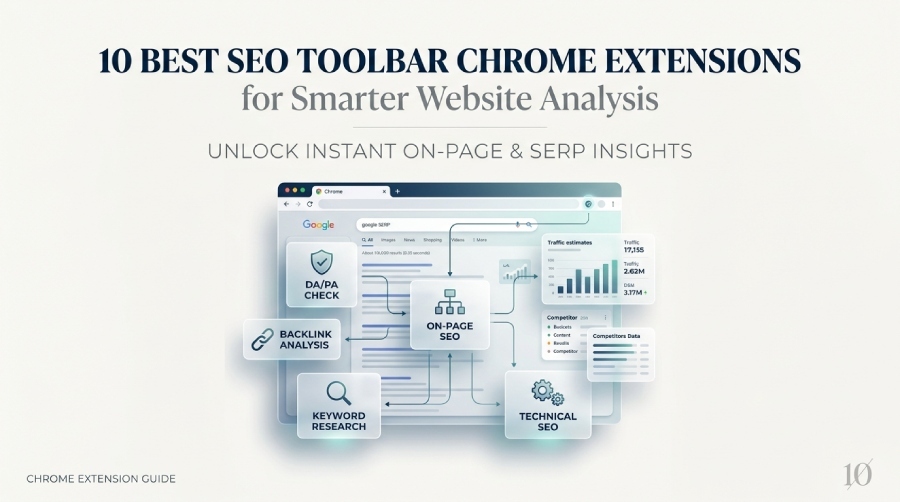
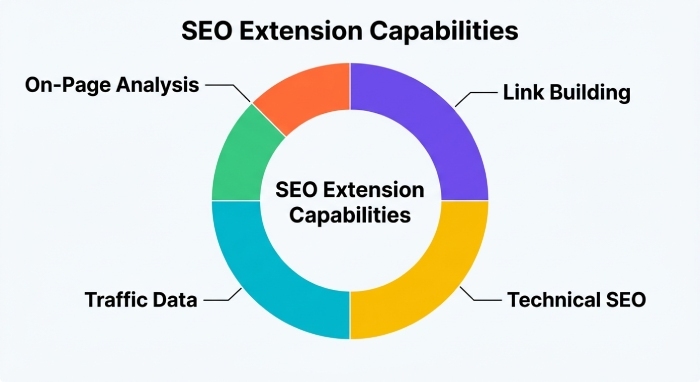
A good seo toolbar turns Chrome into a practical website analysis workspace, giving SEO professionals instant seo data without switching between dashboards. The best chrome extension for your workflow depends on whether you need domain authority, page authority, on-page seo checks, link analysis, keyword research, serp analysis, technical seo signals, or competitor research inside Google search results.
Before choosing a plugin from the chrome web store, consider how each seo extension handles seo metrics, backlink analysis, referring domains, keyword volumes, traffic estimates, indexation directives, canonical tags, meta descriptions, headers, broken links, internal links, external links, and export data CSV workflows.
How to Evaluate an SEO Toolbar Chrome Extension
A strong seo toolbar should reduce repetitive seo tasks, not add clutter. Look for fast on-page seo analysis, reliable seo metrics, clear SERP overlays, and flexible toolbar customization. Some seo tools rely on live API calls, while others use data caching to speed up automated analysis. That matters because API limits can affect real-time tracking, bulk checks, and global seo research.
For example, MozBar is popular for authority scoring, while Ahrefs is known for backlink analysis and referring domains. SEOquake includes SEMRush Rank and broad SERP analysis, while SEO Minion is excellent for broken links, redirects, and serp preview checks. Extensions such as SEO META in 1 CLICK, Detailed SEO Extension, SEO Pro Extension, SEOwallet, Majestic Backlink Analyzer, Free Link Checker by LRT, and SEO Search Simulator by Nightwatch each support specific seo insights for different workflows.
Must-have SEO metrics and SERP analysis features
The most useful chrome extension options provide seo metrics directly on a page and in search results. For Google search, that means faster serp analysis, stronger competitor research, and better keyword research decisions. You should be able to review domain authority, page authority, outgoing links, http headers, page speed insights, and on-page seo elements without opening five separate tabs.
Data reliability, API limits, and workflow fit
Check who publishes the seo extension and how transparent the Web Store listing is. Enterprise buyers may care about AHREFS PTE. LTD., Moz, Majestic, LRT, Nightwatch, EU privacy expectations, D-U-N-S verification, Googlebot testing, API usage, and CSV exports. For hands-on seo audit work, the best seo toolbar balances speed, accuracy, and clear presentation.
Export, caching, and toolbar customization
For agencies, export data CSV support, data caching, and toolbar customization help standardize website analysis across teams. If you perform link analysis daily, prioritize a link checker that identifies broken links, internal links, external links, redirects, and indexation directives quickly.
Privacy and marketplace signals
Install only from trusted sources such as the chrome web store, the publisher’s official documentation, or a known software directory. Reviews, update history, permissions, and support channels are important indicators before adding any seo extension to Chrome.
Extension #1–#3: Authority, Backlinks, and All-in-One SERP Analysis
Extension #1: MozBar - Best for quick domain authority and page authority checks
MozBar is the classic seo toolbar for fast domain authority and page authority checks. It displays authority data, link analysis indicators, and on-page seo elements while browsing or reviewing a SERP. You can compare domain authority across search results, evaluate page authority, inspect headers, and check meta descriptions without leaving Chrome.
MozBar is especially useful for quick qualification during outreach, content audits, and competitor research. If your team already uses Moz Pro, the toolbar fits naturally into broader seo audit workflows. You can install the official MozBar Chrome extension or review the Moz SEO toolbar overview for feature details.
Extension #2: Ahrefs SEO Toolbar - Best for backlink insights and on-page SEO metrics
Ahrefs SEO Toolbar is one of the strongest choices for backlink analysis, referring domains, link analysis, and on-page seo checks. It shows seo metrics such as domain-level strength, URL-level data, keyword research context, outgoing links, and SERP analysis overlays. The toolbar is particularly valuable when reviewing search results because it combines keyword ideas, keyword volumes, traffic estimates, and link data in one chrome extension.
For installation, use the official Ahrefs SEO Toolbar on the Chrome Web Store. Ahrefs also provides a clear installation and usage guide, while third-party listings such as the Ahrefs SEO Toolbar Chrome extension page on Softonic can help users compare availability and version details.
Extension #3: SEOquake - Best all-in-one SEO toolbar for SERP and website audits
SEOquake is a broad seo toolbar for serp analysis, site audit checks, and instant seo data. It integrates SEMRush Rank, indexed page signals, internal links, external links, keyword density, and other seo metrics. For fast website analysis, SEOquake is useful because it surfaces performance data directly on the page and in the SERP.
This seo extension is especially helpful for technical seo reviews because it supports quick checks of headings, meta descriptions, canonical tags, indexation directives, and other on-page seo factors. It is not a replacement for a full crawler, but it is excellent for first-pass seo audit work.
Extension #4–#7: On-Page SEO, Links, SERP Previews, and Competitor Data
Extension #4: Detailed SEO Extension - Best for fast on-page SEO analysis
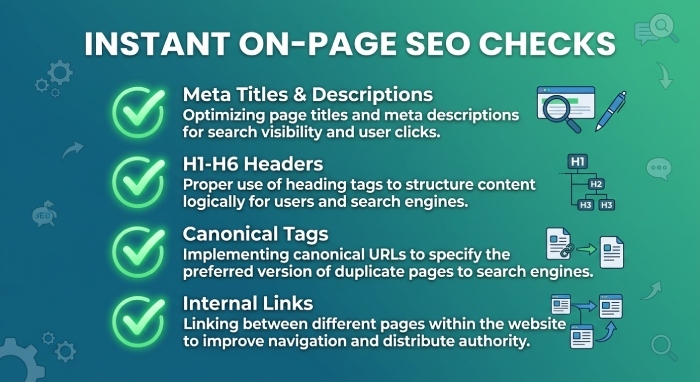
Detailed SEO Extension is built for speed. It gives a clean snapshot of titles, meta descriptions, headers, canonical tags, robots directives, word count, and structured on-page seo signals. For editors and technical seo specialists, this chrome extension is often faster than opening source code or running a full site audit.
It is ideal when you need instant seo data during content QA, migration checks, or template reviews. The seo metrics are focused, practical, and easy to interpret. For broader comparisons of toolbar-style solutions, this guide to the best SEO toolbar browser extension for Google Chrome provides additional context.
Extension #5: SEOworx – Best for all-in-one SEO metrics directly in Google Search
Seoworx is useful for viewing all-in-one seo metrics directly in Google search. It helps streamline keyword research, serp analysis, and competitor research by placing important seo insights close to the search results. For users who want a lightweight seo toolbar experience without constantly switching tools, it can be a practical addition to a Chrome workflow.
SEODebate and similar SEO communities often emphasize this kind of fast-access website analysis because it supports better decisions during live research. When paired with Keyword Surfer or SEOwallet, SEOworx can contribute to a more complete keyword research and SERP review process.
Extension #6: SEO Minion - Best for checking broken links, redirects, and SERP previews
SEO Minion is a versatile seo extension for broken links, redirects, hreflang checks, and serp preview validation. Its link checker can scan internal links, external links, and outgoing links, making it useful for link analysis during content audits. The serp preview tool also helps verify titles and meta descriptions before publication.
SEO Minion also supports user agent switching, which is useful when checking how Googlebot or another crawler might access a page. For practical setup help, this walkthrough on adding an SEO toolbar to Chrome can be useful for less technical users.
Extension #7: Similarweb - Best for traffic estimates and competitor research
Similarweb is not a traditional seo toolbar in the same way as MozBar or SEOquake, but it is a valuable chrome extension for traffic estimates, engagement trends, audience sources, and competitor research. It helps validate whether a domain has meaningful visibility before deeper backlink analysis or technical seo work begins.
For SEO professionals, Similarweb is most useful alongside other seo tools. Use it to estimate market share, then use Ahrefs, MozBar, Majestic, or SEOquake for domain authority, referring domains, link analysis, and on-page seo validation.
Extension #8–#10: Keyword Strength, Redirects, and Metadata Review
Extension #8: Mangools SEO Extension - Best for keyword difficulty and SEO strength analysis
Mangools SEO Extension is a strong choice for keyword research, keyword difficulty checks, SERP analysis, and domain strength review. It provides seo metrics that support quick decisions around keyword ideas, keyword volumes, and ranking opportunities. When analyzing search results, the extension helps compare authority, backlinks, and relevance signals without leaving Google.
This chrome extension works well for content strategists who need a balance of keyword research and authority checks. It is also a good companion to tools such as Keyword Surfer, MozBar, and Ahrefs SEO Toolbar when building topic clusters or evaluating search engine competition.
Extension #9: Redirect Path - Best for diagnosing redirects and HTTP status codes
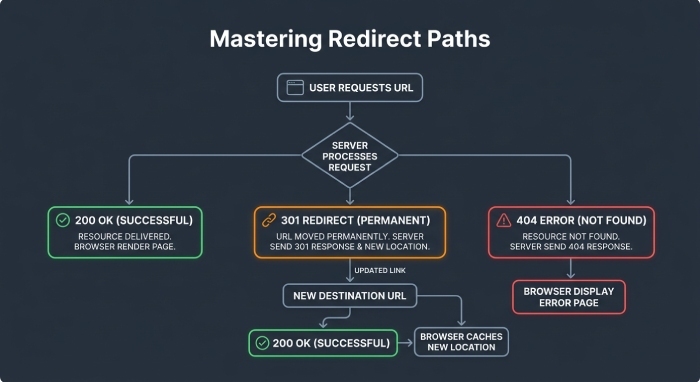
Redirect Path is a focused technical seo plugin for diagnosing redirects, HTTP status codes, http headers, canonical issues, and tracking chains. It is especially useful during migrations, HTTPS checks, international SEO reviews, and QA after development releases.
Unlike a broad seo toolbar, Redirect Path focuses on technical signals that affect crawlability and indexation. It can help identify redirect loops, 301/302 behavior, server response issues, and other problems before they become larger seo audit findings.
Extension #10: SEO Meta in 1 Click - Best for reviewing metadata, headings, and page structure
SEO META in 1 CLICK is one of the fastest seo extension options for reviewing metadata, headings, links, images, robots directives, and page structure. It is ideal for on-page seo reviews because it shows titles, meta descriptions, H1-H6 headers, canonical tags, and indexation directives in a simple panel.
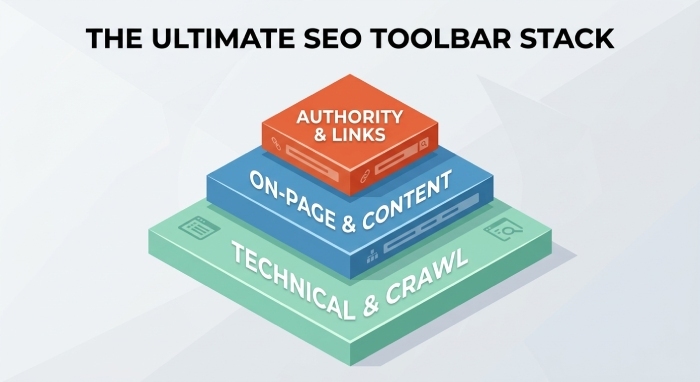
For daily website analysis, this chrome extension is excellent for editors, developers, and SEO professionals who need instant seo data. Used alongside MozBar for domain authority, Ahrefs for backlink analysis, SEOquake for SERP analysis, and Majestic Backlink Analyzer or Free Link Checker by LRT for deeper link analysis, it helps create a reliable Chrome-based seo toolbar stack.