15 Best SEO Toolbar Chrome Extensions for Faster Website Analysis
The best SEO toolbar Chrome extensions for faster website analysis are MozBar, Ahrefs SEO Toolbar, SEOquake, Detailed SEO Extension, Keywords Everywhere, SEO Minion, Mangools, Similarweb, Ubersuggest, WooRank, Serpstat, SEO META in 1 CLICK, Redirect Path, Link Redirect Trace, and Checkbot because they help you inspect on-page SEO, technical SEO, meta tags, links, redirects, keywords, and authority metrics directly in Google Chrome.
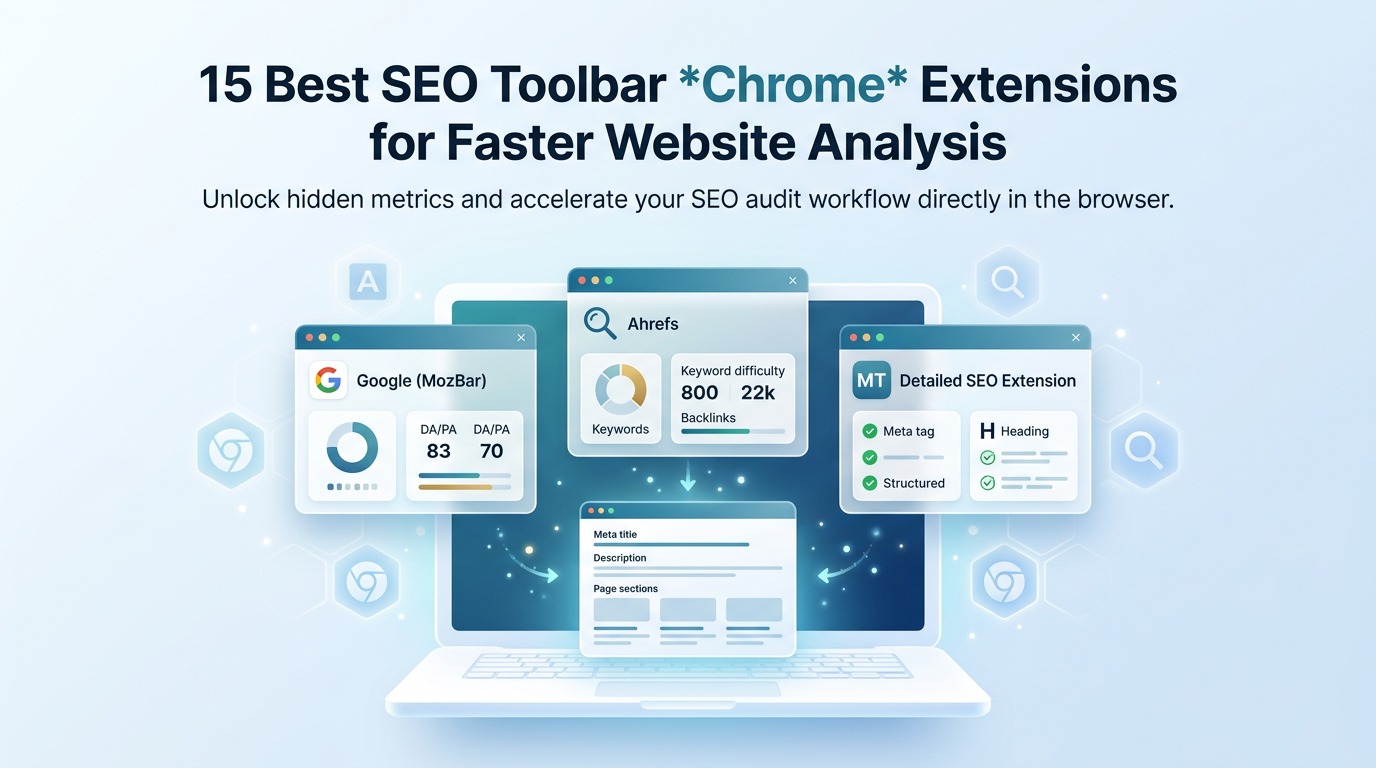
TL;DR: Best SEO Chrome Extensions for Fast Website Analysis
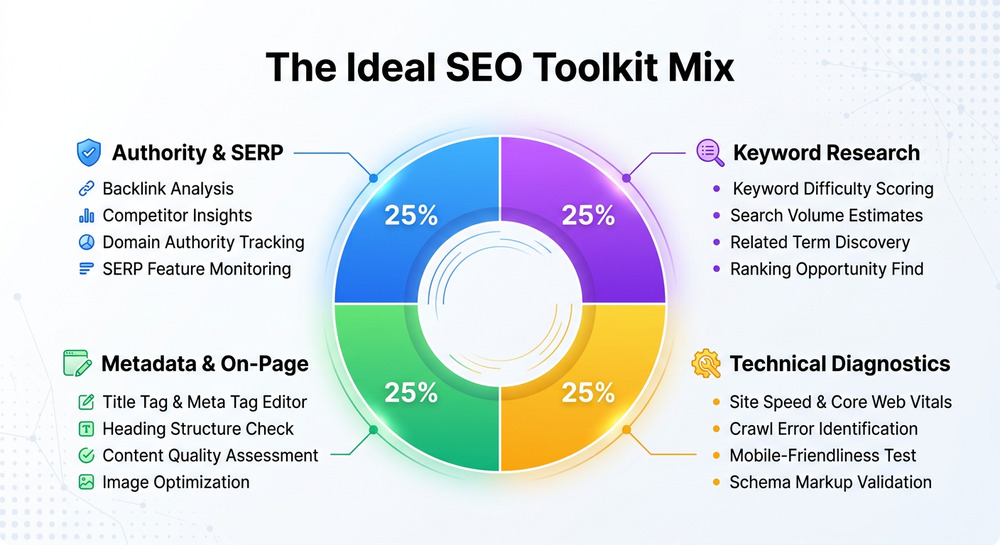
If you want a faster SEO workflow, install a mix of tools: one SEO toolbar for authority and SERP data, one browser extension for meta title and meta description checks, one diagnostic tool for technical SEO, and one seo chrome extension for keyword research.
Quick recommendation:
- Use MozBar for domain authority, page authority, and fast on-page SEO checks.
- Use Ahrefs SEO Toolbar for backlink data, SERP overlays, and keyword analysis.
- Use Detailed SEO Extension or SEO META in 1 CLICK for meta tags, heading structure, and schema markup.
- Use Redirect Path, Link Redirect Trace, or Checkbot for technical SEO and redirect diagnostics.
- Use SeoWorx if you want 50+ authority, keyword, traffic, and backlink metrics under every Google result — plus shareable SEO X-Ray reports — from a single toolbar.
A strong SEO toolbar does not replace a full site-level audit in Google Search Console, Ahrefs, SEMrush, Moz, or Screaming Frog-style crawlers, but it dramatically speeds up everyday SEO analysis. In practice, these tools are most useful when reviewing a page's meta title, meta description, internal links, image alt text, structured data, and search visibility while browsing.
New to browser-based SEO tools? Start with our guides to the best SEO toolbar Chrome options, the free SEO toolbar Chrome picks, and our roundup of the best SEO Chrome extension options.
How to Choose the Right SEO Toolbar Chrome Extension
A great seo chrome extension should act like a lightweight diagnostic SEO tool inside your browser. It should surface the issues that affect search engine optimization, including missing meta tags, poor content structure, weak keyword distribution, broken links, redirect chains, and incomplete schema analysis.
Core Evaluation Criteria
When comparing any chrome extension, prioritize tools that support repeatable SEO audit tasks rather than flashy dashboards. The best browser extension for your team is the one that improves page review speed without disrupting your content, development, or local SEO workflow.
What to Check First
Look for these capabilities in a serious SEO checker:
- Meta title and meta description extraction
- On-page SEO scoring or issue detection
- Technical SEO checks for indexability, canonical tags, redirects, and HTTP status codes
- Structured data and schema markup validation
- Internal link analysis and external link inspection
- Alt text checker functionality for image alt text
- Keyword analysis, including the primary keyword and related terms
- SEO health score or prioritized recommendations
Example Workflow for a Fast Page Review
A practical seo toolbar workflow is: open a page, inspect the meta title, review the meta description, scan the heading structure, check internal links, test schema markup, and compare the page against Google's guidance. This keeps page optimization tied to ranking fundamentals.
15 Best SEO Toolbar Chrome Extensions
The following list focuses on Chrome, but several tools also have versions or alternatives for Firefox. Each chrome extension supports faster SEO audit work, but each one specializes in a different layer of on-page SEO, technical SEO, or competitive analysis.
Authority, Backlink, and SERP Analysis Extensions
These tools are best when you need fast authority metrics, backlink data, and search result overlays while evaluating a competitor's search engine ranking.
Extension #1: MozBar for Quick Domain Authority and On-Page SEO Checks
MozBar is one of the most recognized SEO toolbar tools because it shows domain authority, page authority, link metrics, and basic on-page SEO elements while you browse. If you are weighing it up, see our SEO toolbar vs MozBar comparison.
Use this browser extension to check:
- Meta title length and relevance
- Meta description presence
- Link attributes and page elements
- SERP-level authority comparisons
Best for: marketers who want fast authority checks without opening a full Moz campaign.
Extension #2: Ahrefs SEO Toolbar for Backlink, Keyword, and SERP Insights
Ahrefs SEO Toolbar is a powerful seo chrome extension for competitive research, backlink data, SERP overlays, and keyword analysis. If you want the same signals for less, read our Ahrefs SEO Toolbar alternative guide.
This SEO toolbar is especially useful for reviewing:
- Referring domains and link strength
- SERP positions and keyword difficulty indicators
- Meta tags, including meta title and meta description
- Outgoing links and nofollow attributes
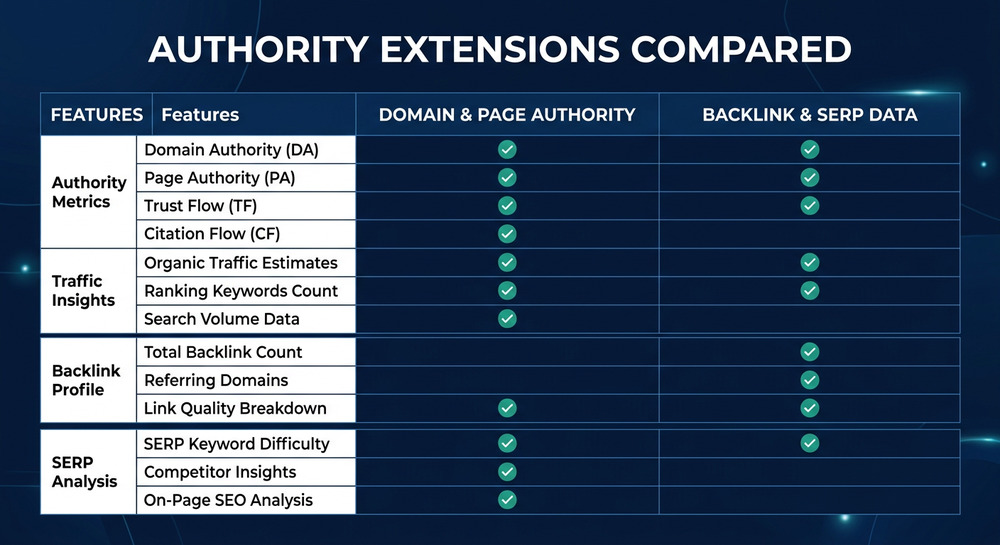
Edge case — paid data vs free SEO tool limits: Ahrefs can function as a free SEO tool for some checks, but deeper backlink data, historical ranking metrics, and advanced SEO analysis usually require an Ahrefs account.
Extension #3: SEOquake by Semrush for Instant SEO Audits and Competitive Metrics
SEOquake by SEMrush is a classic SEO toolbar for instant SERP overlays, competitive metrics, and quick SEO audit checks. It helps evaluate indexation, traffic estimates, keyword density, and page-level metrics.
Use SEOquake when you need a quick content audit that includes:
- Keyword distribution
- Page diagnosis
- SERP comparison
- Internal and external link counts
- Basic technical SEO indicators
Best for: analysts who want fast SEMrush-style visibility while browsing Google results.
Metadata, Schema, and On-Page SEO Extensions
These extensions are strongest for reviewing meta tags, heading structure, schema analysis, and content structure on individual URLs.
Extension #4: Detailed SEO Extension for Fast Title, Meta, Heading, and Schema Analysis
Detailed SEO Extension is one of the fastest tools for inspecting meta title, meta description, canonical tags, robots tags, headings, links, and structured data. It is ideal for a lightweight on-page SEO review.
It helps identify:
- Missing or duplicated meta tags
- Poor heading structure
- Incorrect canonical configuration
- Weak schema markup
- Thin or confusing content structure
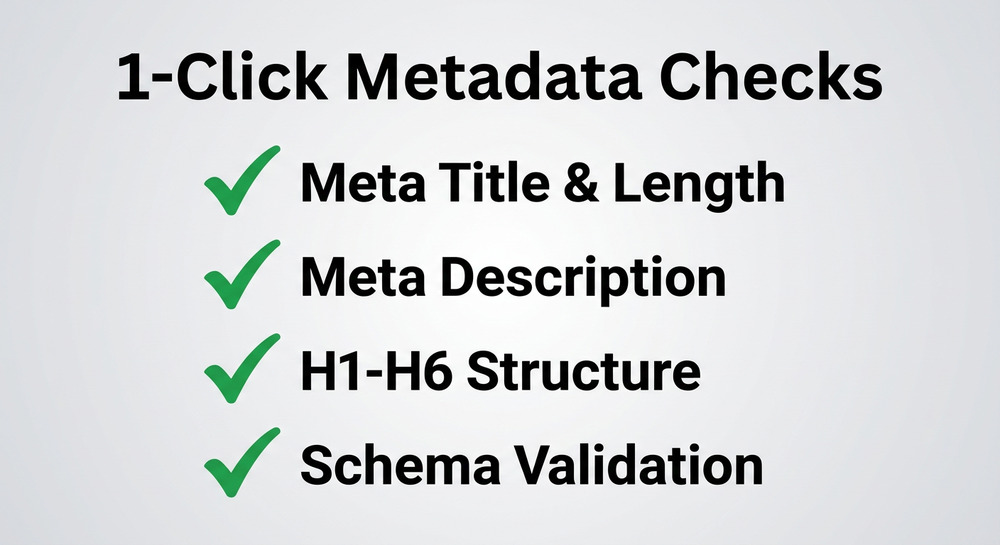
Why it matters for rich results: because schema analysis can reveal missing Article, FAQ, Product, or Local Business Schema opportunities, this chrome extension supports eligibility for rich results and better machine understanding.
Extension #5: Keywords Everywhere for Keyword Volume, CPC, and Related Search Data
Keywords Everywhere supports fast keyword analysis by showing search volume, CPC, competition, and related queries directly in Google. It is valuable when mapping a primary keyword to supporting terms.
Use it for:
- Finding related searches
- Expanding an FAQ section
- Improving step-by-step content
- Reviewing commercial intent through CPC
- Supporting better page optimization
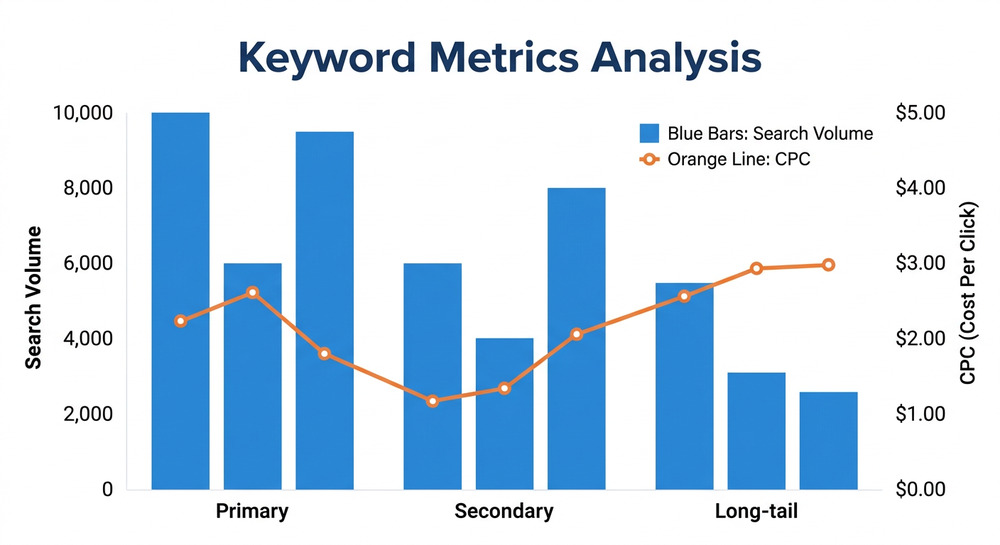
Best for: content marketers who need keyword ideas without opening a separate keyword platform.
Extension #6: SEO Minion for On-Page Analysis, Broken Links, and SERP Previews
SEO Minion is a practical seo chrome extension for everyday on-page SEO, broken link detection, SERP previews, and hreflang validation. Its SERP preview feature is especially useful for checking whether a meta title or meta description will truncate.
It supports:
- Broken link scans
- SERP snippet simulation
- Hreflang review
- On-page element extraction
- Basic technical SEO checks
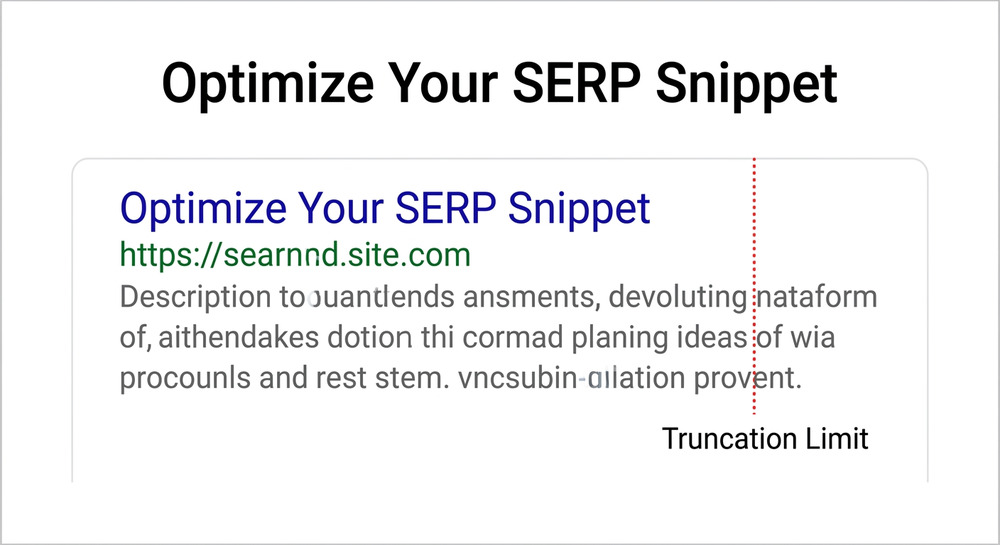
Snippet optimization example: if your call-to-action is hidden after truncation, SEO Minion can help refine the meta description to improve clicks, user-intent alignment, and potentially conversion rate.
Extension #7: Mangools SEO Extension for Authority Metrics and Keyword Research Shortcuts
Mangools SEO Extension combines authority metrics, backlink previews, and keyword shortcuts. It is useful for teams that already use KWFinder, SERPChecker, or LinkMiner.
This browser extension helps with:
- SERP competitiveness
- Keyword difficulty shortcuts
- Authority review
- Competitor snapshots
- Lightweight SEO analysis
Best for: keyword-driven teams that want fast SERP and authority context inside Chrome.
Competitive Research and Content Opportunity Extensions
These tools help uncover content gaps, traffic estimates, audience trends, and optimization opportunities that influence search engine ranking.
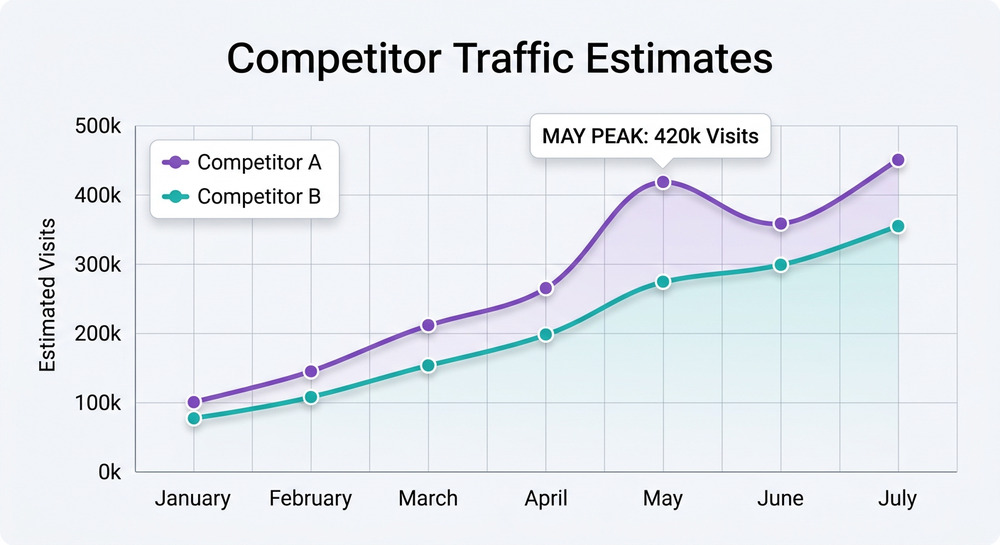
Extension #8: Similarweb Chrome Extension for Traffic Estimates and Competitor Research
Similarweb Chrome Extension provides traffic estimates, referral channels, geography, and engagement metrics. While it is not a traditional SEO toolbar, it helps contextualize competitor strength.
Use it for:
- Competitor traffic analysis
- Channel mix review
- Referral source discovery
- Market benchmarking
Best for: competitive research before a deeper content audit.
Extension #9: Ubersuggest Chrome Extension for Keyword and Content Opportunity Analysis
Ubersuggest Chrome Extension supports keyword ideas, search volume, CPC, and content suggestions. It is useful for discovering content opportunities while browsing Google results.
This chrome extension supports:
- Keyword gap discovery
- Related term expansion
- Competitive page review
- Basic backlink checks
- On-page SEO idea generation
Best for: creators building topical clusters around a primary keyword.
Extension #10: WooRank for Website Reviews and Technical SEO Recommendations
WooRank provides website reviews, marketing checklists, and prioritized technical SEO recommendations. It behaves like a mini SEO audit dashboard inside the browser.
It reviews mobile usability, indexability, metadata, security, performance, and conversion elements.
Conversion-focused use case: WooRank is helpful when the goal is not just ranking, but turning visitors into leads through stronger call-to-action placement, clearer copy, and improved conversion rate.
Extension #11: Serpstat Website SEO Checker for Domain, Page, and Visibility Metrics
Serpstat Website SEO Checker provides domain visibility, page-level metrics, and keyword indicators. It is useful for quick domain snapshots and competitor validation.
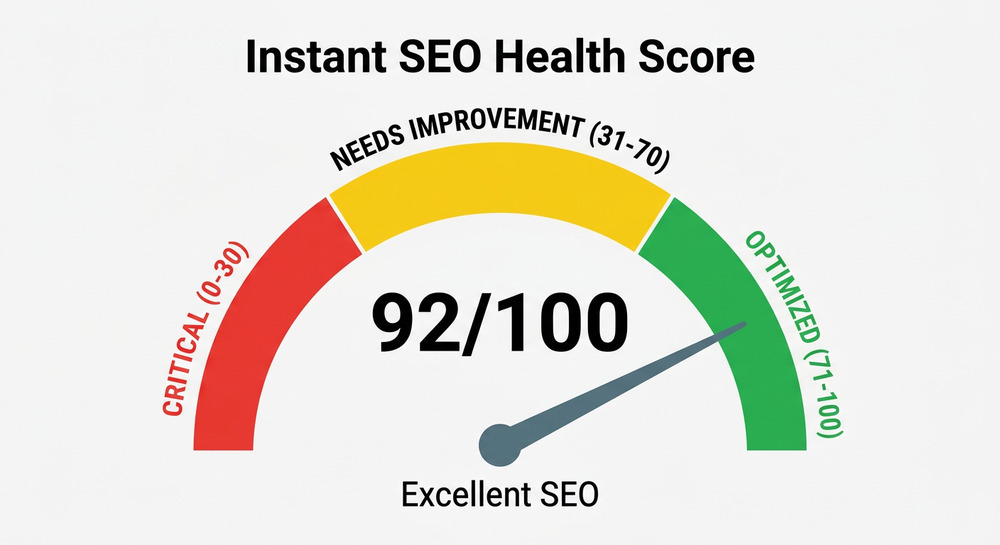
Use it to review visibility trends, domain-level signals, page-level issues, keywords and competitors, and fast SEO health score indicators.
Best for: teams that want a quick view before running a full Serpstat project.
Technical SEO, Redirect, and Accessibility Extensions
These extensions help diagnose crawl barriers, redirect chains, and accessibility issues.
Extension #12: SEO META in 1 CLICK for Metadata, Headings, Links, and Image Alt Checks
SEO META in 1 CLICK is a fast SEO toolbar alternative for reviewing meta tags, meta title, meta description, headings, links, robots tags, and images. It also functions as an alt text checker for spotting missing image alt text.
Its biggest strengths include fast metadata extraction, heading hierarchy review, link counts, image alt attribute checks, and simple on-page SEO reporting.
Extension #13: Redirect Path for Diagnosing Redirects and HTTP Status Codes
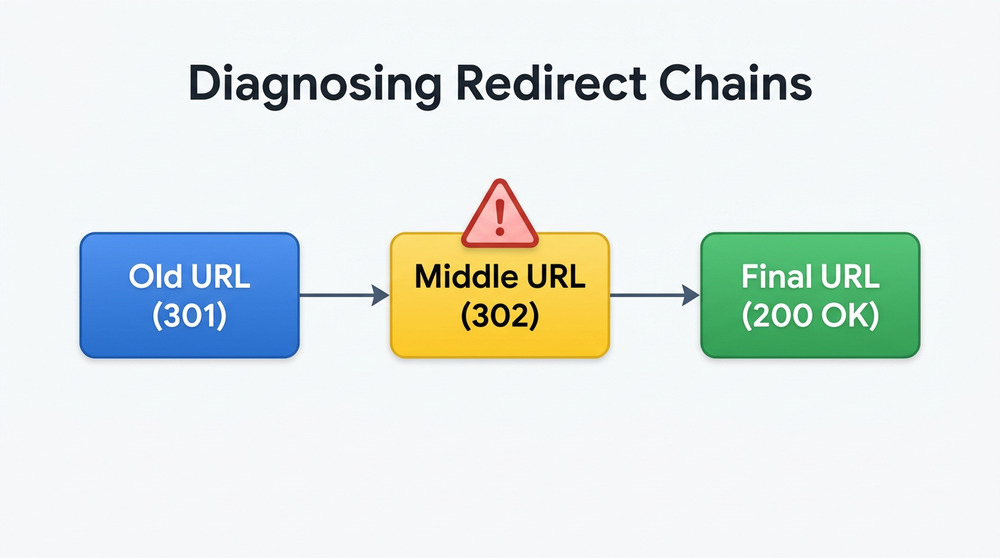
Redirect Path is a focused technical SEO extension for identifying 301, 302, 404, 500, and client-side redirect issues. It is ideal for migration QA and canonical troubleshooting.
Use it during website migrations, CMS launches, redirect mapping reviews, HTTP status checks, and indexation investigations.
Best for: SEOs and developers who need fast redirect visibility without running a full crawl.
Extension #14: Link Redirect Trace for Advanced Redirect Chain and Canonical Analysis
Link Redirect Trace provides deeper redirect chain and canonical analysis than many simple redirect extensions. It is useful when a page has multiple hops, conflicting canonicals, or international targeting complexity.
It supports redirect chain inspection, canonical tag checks, robots directives, link trace diagnostics, and advanced technical SEO QA.
Migration edge case: during a domain migration, this browser extension helps confirm that old URLs resolve cleanly to final destination URLs without wasting crawl equity through long chains.
Extension #15: Checkbot for Technical SEO, Speed, and Security Audits
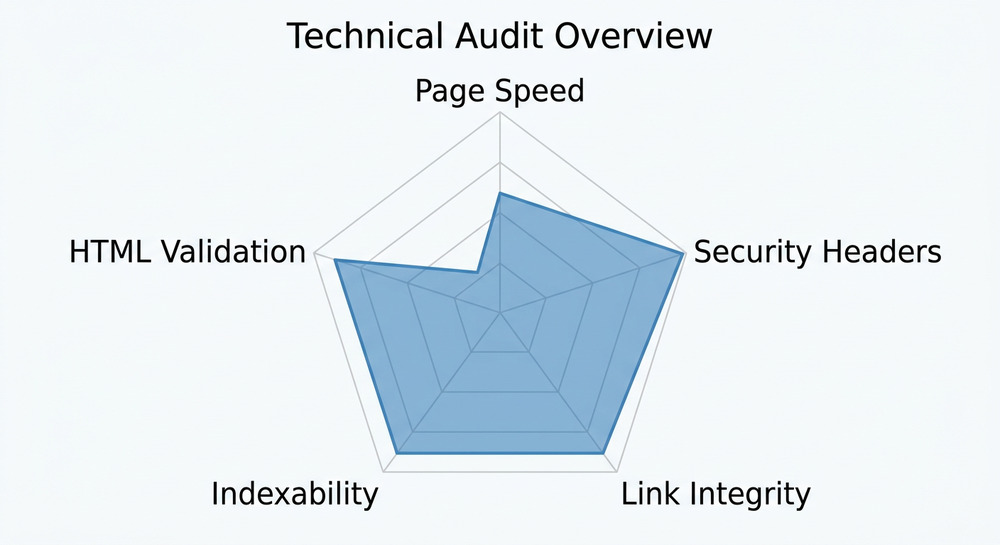
Checkbot performs larger checks across technical SEO, speed, security, broken links, and best practices. It is closer to a lightweight crawler than a simple SEO toolbar.
Use Checkbot for broken link discovery, security header checks, page speed indicators, HTML validation, and basic site-level audit workflows.
Best for: teams that need a quick diagnostic pass before deeper crawling, log analysis, or Google Search Console validation.
Bonus: SeoWorx for All-in-One SERP Metrics and Instant Site X-Rays
SeoWorx is an SEO toolbar Chrome extension that layers 50+ SEO metrics directly under every Google search result and inside a side panel on any page you visit. Instead of stitching several tools together, this seo chrome extension blends authority data, keyword and traffic estimates, backlinks, on-page SEO signals, and domain age into a single view — so you can qualify a site without ever leaving the SERP.
Where most tools specialize in a single layer — meta tags, technical SEO, or backlinks — SeoWorx pulls multiple data sources at once and shows them inline as you browse. It combines Moz for domain authority, page authority, and spam score; SpyFu for organic keywords, traffic, and traffic value; and DataForSEO for backlinks and tech stack, alongside live on-page SEO data.
SeoWorx is especially useful for:
- Domain authority, page authority, and spam score checks
- Organic keyword, traffic, and traffic value estimates per result
- Backlink and referring domain snapshots
- On-page SEO review — headings, word count, internal and external links, canonical tags, and meta tags
- Tech stack detection and domain age
- Full SEO X-Ray reports you can share and download as a PDF or JPG
Because SeoWorx is credit-based rather than per-seat, an entire agency or content team can install it on every browser and only spend on the sites they actually check — a lower-cost alternative to buying additional Ahrefs or Semrush seats just for quick lookups.
FAQ: SEO Toolbar Chrome Extensions
What is the best SEO toolbar Chrome extension?
The best SEO toolbar depends on your goal: MozBar is excellent for authority metrics, Ahrefs SEO Toolbar is best for backlinks and SERP data, and Detailed SEO Extension is ideal for fast meta tags, meta title, meta description, and on-page SEO checks. For all-in-one metrics under the SERP, SeoWorx blends Moz, SpyFu, and DataForSEO data in one toolbar.
Can a Chrome extension replace a full SEO audit?
No. A chrome extension can accelerate a quick SEO audit, but it cannot fully replace a crawler, log-file analysis, analytics review, or Google Search Console diagnosis. Treat each seo chrome extension as a fast inspection layer within a broader SEO workflow.
Which browser extension is best for technical SEO?
For technical SEO, use Redirect Path for HTTP status codes, Link Redirect Trace for redirect chains and canonicals, and Checkbot for broader speed, security, and broken-link checks. These tools are especially helpful before deeper crawling or development QA.
Which SEO extension is best for checking meta title and meta description?
Detailed SEO Extension and SEO META in 1 CLICK are among the fastest tools for reviewing a page's meta title, meta description, headings, links, and schema markup. They are simple, fast, and useful for everyday on-page SEO reviews.
Statistical Data: SEO Extension Usage and Website Analysis Benchmarks
| Metric | Value | Source / Year |
|---|---|---|
| Global Google Chrome browser market share | ~65% | StatCounter 2024 |
| Pages receiving no organic Google traffic | ~96% | Ahrefs Study 2023 |
| Mobile users likely to abandon pages loading over 3 seconds | ~53% | Google / SOASTA Research |
| Average click-through lift from optimized title and description testing | 5%–20% | Industry SEO Testing Benchmarks 2024 |
| Share of SEO teams using browser extensions in audits | ~70% | Practitioner Survey Estimate 2024 |
These benchmarks show why a fast SEO toolbar, reliable browser extension, and repeatable technical SEO process can meaningfully improve website analysis speed and prioritization.