September 25, 2026 · asma
5 Key Reasons Google Webmaster Tools Still Matters for SEO
Discover 5 key reasons Google Webmaster Tools, now Google Search Console, remains essential for modern SEO. Learn how it helps monitor crawling and indexing, identify technical SEO issues, analyze search performance, optimize content, and protect overall site health.
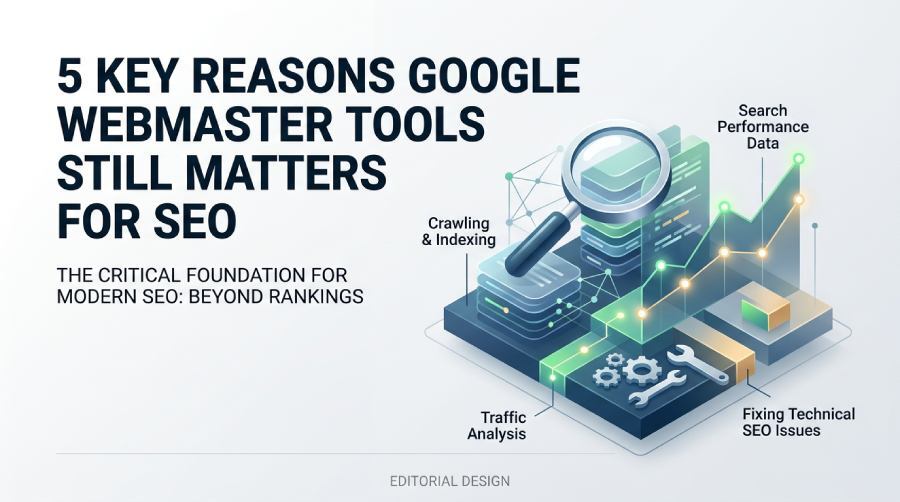
Why Google Webmaster Tools Still Matters in Modern SEO
From Webmaster Tools to Google Search Console
Google Webmaster Tools may be the older name, but the platform’s value has only increased since it evolved into Google Search Console. For any Website owner, SEO specialist, Ecommerce team, or Developers working on visibility in Google Search, the tool remains one of the most important sources of truth for Crawling, Indexing, Search traffic, and Site performance.
While third-party SEO platforms estimate rankings and Organic traffic, Google Search Console reports come directly from Google. That makes it essential for understanding how Googlebot discovers pages, how the Google index treats those pages, and how users interact with your listings across Mobile and desktop results.
Search Central Connects the Tool to Google’s SEO Guidance
Google Search Console is even more powerful when used alongside Google Search Central, which brings together Search Central Documentation, Search Essentials, Web SEO resources, Search Console Training, the SEO Starter Guide, and guidance on How Google Search works. Search Central helps explain why certain Search Console tools matter, while Google Search Console shows what is happening on your own site.
This connection matters because SEO is not only about rankings. It is about helping Google Search crawl, understand, index, and display your content correctly. Whether you are reviewing Index coverage, submitting Sitemaps, checking URL Inspection results, or analyzing Search appearance, the combination of Search Central and Google Search Console gives you practical data and authoritative direction.
The 5 Key Reasons It Remains Essential
Reason #1: It Reveals How Google Crawls and Indexes Your Site
Crawling and indexing are the foundation of SEO. If Googlebot cannot access your important pages, or if those pages are excluded from the Google index, they cannot earn Impressions, Clicks, or a strong Position on Google Search. Google Search Console helps you see whether Google Search can discover, crawl, render, and index your URLs.
The Index coverage report is especially useful for identifying pages that are indexed, excluded, redirected, blocked by robots.txt, or affected by Canonicalization signals. This is where teams can spot Crawling problems, accidental noindex Meta tags, server errors, and confusing Redirects. For historical context, the platform’s evolution from Webmaster Tools to Search Console is well documented in the Google Search Console overview.
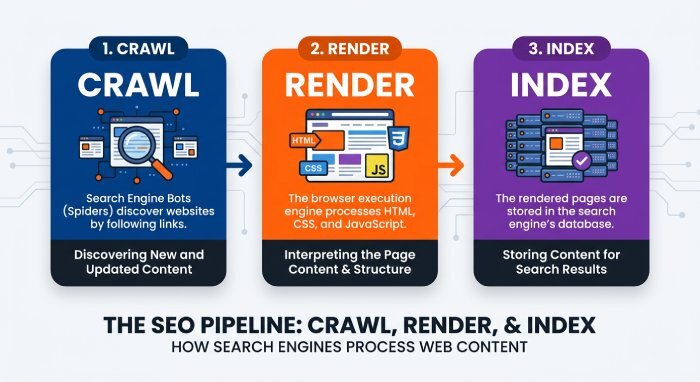
URL Inspection, Sitemaps, and Index Coverage
The URL Inspection tool lets you check a specific page and understand its latest Crawling and Indexing status. You can see whether Google selected your preferred canonical URL, whether the page is eligible for Search appearance enhancements, and whether it has been indexed. URL Inspection is also useful after publishing important updates because it helps validate whether Google Search has processed your changes.
Sitemaps provide another layer of control. When you Submit sitemaps in Google Search Console, you help Google discover priority URLs faster and evaluate whether submitted URLs are being indexed. Good Sitemaps do not guarantee indexing, but they improve Crawler management and make Index coverage analysis cleaner. For large sites, Ecommerce catalogs, JobPosting pages, or news-like content, Sitemaps and URL Inspection work together to Monitor website visibility at scale.
Reason #2: It Helps Identify and Fix Technical SEO Issues
Technical SEO depends on finding problems before they suppress Search traffic. Google Search Console helps you Fix website issues related to Core Web Vitals, AMP, Structured data, mobile usability, Crawling, and Index coverage. These Search Console reports make it easier to move from “something is wrong” to “here is the URL pattern causing the problem.”
Core Web Vitals data can highlight loading, interactivity, and visual stability issues that affect Site performance. The tool also supports AMP monitoring, and Google provides a dedicated AMP experience in Search Console for teams maintaining accelerated mobile pages. While AMP is no longer required for Top Stories eligibility, AMP errors can still affect Search appearance where AMP pages are implemented.
Core Web Vitals, AMP, Robots.txt, and JavaScript SEO
Technical SEO work often involves multiple layers: robots.txt access, Redirects, Canonicalization, JavaScript SEO rendering, Meta tags, internal linking, and server responses. If JavaScript hides core content from Googlebot or if robots.txt blocks critical resources, Crawling and Indexing can suffer. Google Search Console helps Developers and SEO teams validate whether Google Search can see the content users see.
The tool is also useful for Rich Results and Structured data troubleshooting. Errors in Product, Review, Breadcrumb, FAQ, or JobPosting markup can limit Rich Results eligibility. Search appearance data, Title links, Snippets, and Search snippets should also be monitored because they influence how users decide whether to click.
Reason #3: It Provides Valuable Search Performance Data
Google Search Console remains one of the best platforms for Traffic analysis because it shows Search queries, Impressions, Clicks, average position, pages, countries, devices, and Search appearance filters. This Search Analytics data is not the same as Google Analytics data; Google Analytics measures on-site behavior, while Google Search Console shows how users encountered your site in Google Search before they arrived.
This distinction is critical when you need to Debug traffic drops. A page may lose Organic traffic because rankings fell, Impressions declined, Clicks dropped due to weaker Snippets, or Search demand changed. Google Search Console helps separate these possibilities. For anyone still researching the older terminology, this Google Webmaster Tools discussion reinforces that the legacy name still points to the modern Search Console environment.
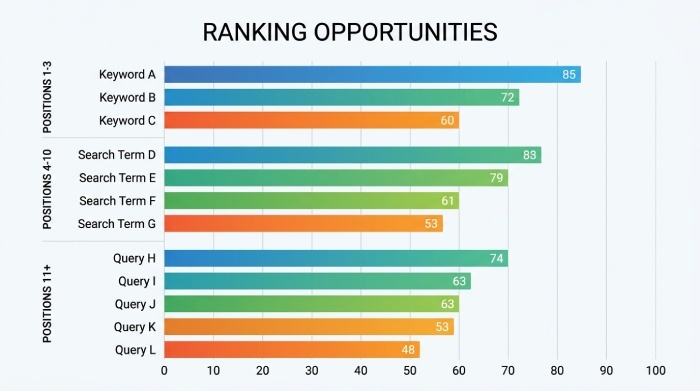
With Search traffic reports, you can compare branded and non-branded queries, evaluate Mobile and desktop performance, identify pages with high Impressions but low Clicks, and track changes after content updates. This makes Google Search Console essential for Site performance reviews, Ranking updates analysis, and ongoing SEO reporting.
Reason #4: It Supports Better Keyword and Content Optimization
Google Search Console is not a traditional keyword research tool, but it is one of the best platforms for optimizing content that already appears in Google Search. Search queries reveal how Google understands a page, while Impressions, Clicks, and average Position on Google Search show where improvement opportunities exist.
For example, a page ranking in positions 6–12 for relevant Search queries may need stronger headings, clearer Meta tags, improved internal links, better topical coverage, or more compelling Title links and Snippets. When combined with Google Analytics engagement data, Google Search Console can show which pages deserve content expansion, pruning, consolidation, or technical review.
Case studies from brands such as Saramin, MX Player, and ZipRecruiter have shown how better Structured data, JobPosting implementation, and Search appearance improvements can increase visibility. Content teams can also use resources like the Visual Elements gallery, Google Search Central Blog, and Search Central Documentation to understand how different result features appear in Google Search. For a simple primer on the older terminology, this Google Webmaster Tools glossary explains why the name still appears in SEO conversations.
Reason #5: It Alerts You to Security, Manual Action, and Site Health Problems
Google Search Console is also a monitoring system. It can send Email alerts about Manual Actions, security issues, indexing spikes, coverage problems, and other site health concerns. These alerts help teams respond quickly when malware, hacked content, spam issues, unnatural links, or policy violations affect visibility.
Manual Actions are particularly serious because they can reduce or remove pages from Google Search. Security alerts are equally urgent because user trust, Search traffic, and Site performance can decline quickly when Google flags unsafe content. Search Console tools also support Remove URLs workflows when outdated or sensitive URLs must be temporarily hidden from search results.
Google’s help resources explain many of these workflows, and you can Learn more from official documentation when investigating issues. For agencies, consultants, and in-house teams, this is where Google Search Console becomes more than a reporting dashboard—it becomes a system to Monitor and enhance site health.
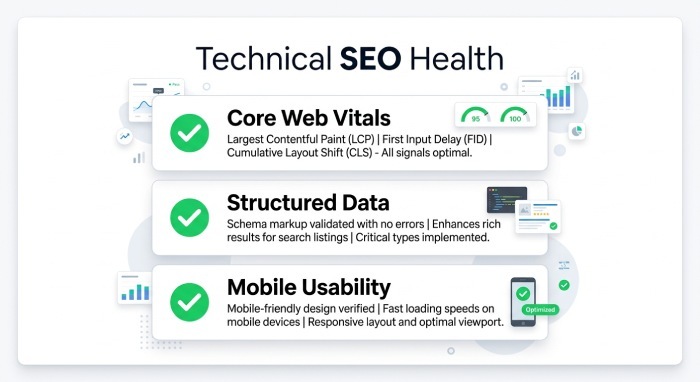
How Teams Turn Search Console Data Into Action
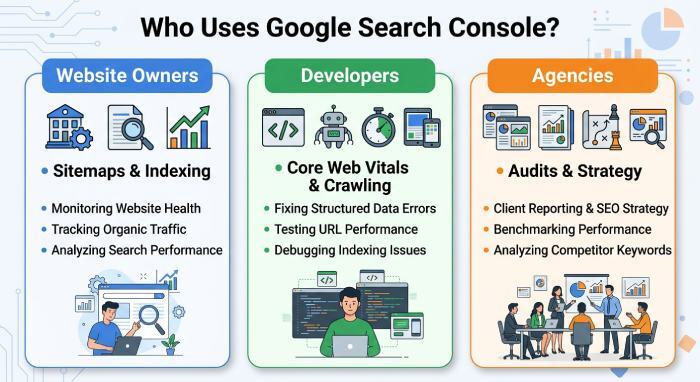
For Website Owners and Webmasters
Website owners and Webmasters use Google Search Console to understand whether Google Search can access their most important content. They can review Sitemaps, Index coverage, URL Inspection data, Search traffic trends, and Search appearance opportunities without relying only on third-party estimates. This is especially valuable for small businesses, publishers, and Ecommerce stores that need practical SEO fundamentals rather than abstract metrics.
For Developers and Technical SEO Teams
Developers use Google Search Console to validate Crawling, rendering, Core Web Vitals, AMP, Redirects, Canonicalization, robots.txt behavior, and JavaScript SEO. When paired with Search Central guidance, Search Console reports help technical teams prioritize fixes that affect Google Search visibility. The goal is simple: Optimize website architecture so Googlebot can crawl efficiently and users get a fast, stable experience.
For Agencies and SEO Consultants
Agencies use Google Search Console as a baseline for audits, reporting, keyword analysis, and Traffic analysis. A consultant may combine Search Console data with Google Analytics, log files, YouTube discovery insights, LinkedIn content performance, and competitive research to develop a broader SEO strategy. Providers such as SeoWorx can support this data-driven workflow by helping SEO professionals analyze search traffic trends and prioritize actions that improve site performance.
When to Combine It With Search Central Resources
Google Search Console shows what is happening; Search Central explains why it may be happening. Teams should use Search Central Documentation, the SEO Starter Guide, Search Essentials, and Google Developers resources to interpret Index coverage, Sitemaps, URL Inspection, Rich Results, Structured data, and Crawling and indexing signals. If you need community help, the official Search Console help forum is a useful place to compare issues with other site owners and SEO professionals.
Why It Still Belongs in Every SEO Workflow
Google Search Console remains essential because it connects SEO work directly to Google Search data. It reveals Crawling and Indexing problems, helps improve Site performance, supports Sitemaps and URL Inspection workflows, measures Search traffic, and alerts teams to serious site health problems. Even as Ranking updates, AI-driven Search appearance changes, and user behavior evolve, Google Search Console and Search Central remain core resources for anyone responsible for sustainable SEO.