July 31, 2026 · asma
7 Essential SEO Minion Features Every Chrome User Should Know
Learn how SEO Minion helps with on-page SEO, broken link checks, SERP previews, hreflang validation, redirect analysis, and local SERP research for faster website optimization.
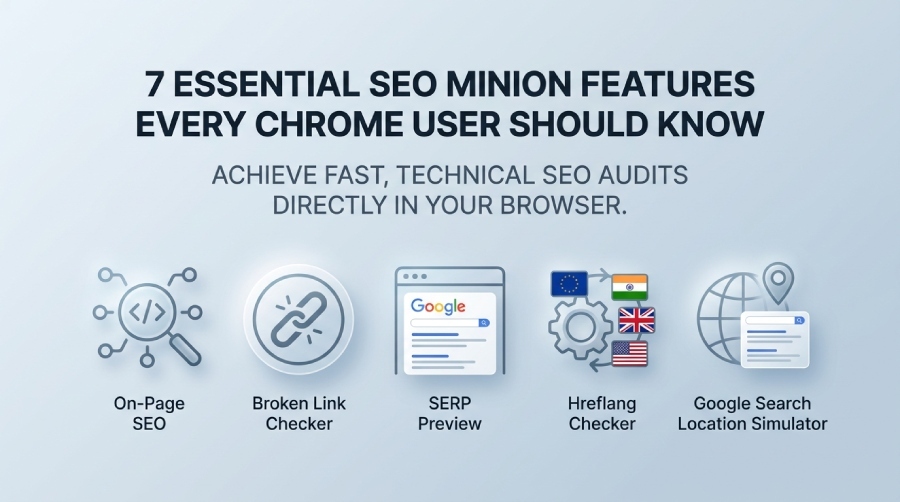
SEO Minion is a practical SEO browser add-on for Chrome users who need fast technical checks without opening a full crawler. Available through the Chrome Web Store, this Chrome extension helps with On-Page SEO, link checking, SERP Preview testing, Hreflang Checker validation, and Google SERP research. SEO Minion is also connected with Keywords Everywhere, and some advanced functions depend on a Keywords Everywhere plan, which makes it useful for teams already working with keyword, SERP, and competitor data.
Compared with tools such as Detailed SEO Extension, SEO Pilot, SEO Buddy – On-Page SEO Analyser, and SEO Scanner, SEO Minion stands out by combining quick page-level diagnostics with SERP utilities directly within the browser. For users who need more comprehensive SEO analysis beyond browser extensions, platforms like SeoWorx provide a broader set of SEO tools for website audits, keyword research, backlink analysis, and performance monitoring.
SEO Minion is also available for Firefox through Mozilla's add-on store, making it useful for teams testing pages across both Chrome and Firefox. Some advanced features integrate with Keywords Everywhere and may require an active plan. Before installing any browser extension, users should review its privacy policy, data collection practices, user reviews, version history, and changelog to ensure it meets their security and workflow requirements.
Core SEO Minion Features for Page-Level Audits
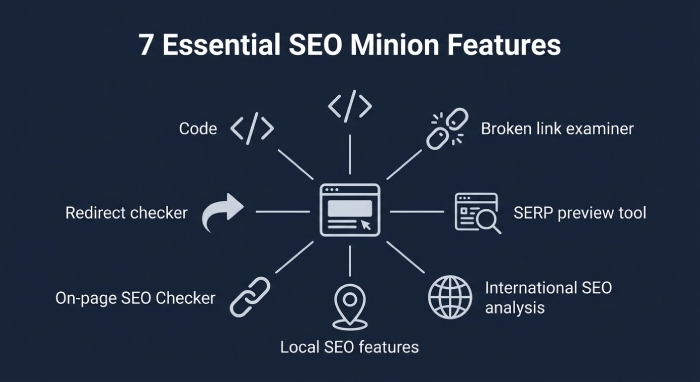
Feature #1: On-Page SEO Analysis for Quick Page Audits
The On-Page SEO feature in SEO Minion gives Chrome users a fast way to audit visible and technical elements on any page. With the Analyze HTML function, the Chrome extension reviews Meta Tags, Headings, canonical tags, images, links, Open Graph data, and other HTML signals that influence crawlability and search presentation. This is particularly useful when you need a first-pass On-Page SEO review before running deeper crawling or log-file analysis.
SEO Minion’s Analyze HTML view helps identify gaps between what is written in the source HTML and what users may see in the Rendered DOM. That matters because HTML vs DOM differences can reveal Javascript SEO issues, especially when important content, Internal links, or structured markup is injected after page load. For sites built with Javascript frameworks, Analyze HTML and Analyze Structured Data checks can support Structured data validation before pages are submitted for indexing.
What to check during an On-Page SEO review
When using SEO Minion for On-Page SEO, start with title tags, meta descriptions, H1-H6 Headings, image alt text, canonical signals, Open Graph values, and Structured data validation. Then compare Internal links and External links, because a weak link structure can affect discovery and equity flow. The Analyze HTML feature is not a replacement for enterprise crawling, but it is excellent for quick QA after a release, template change, or content migration.
Feature #2: Broken Link Checker to Find and Fix Dead URLs
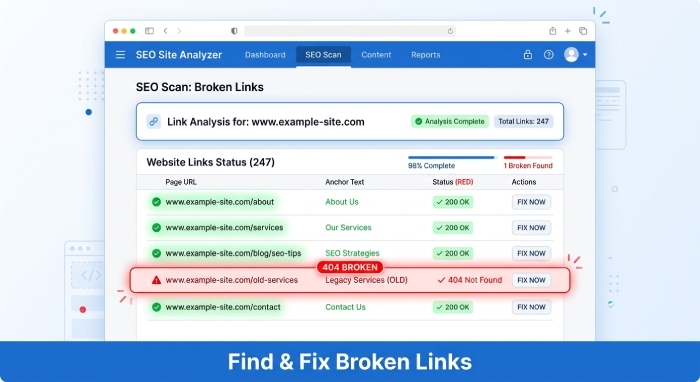
The Broken Link Checker is one of the most valuable SEO Minion tools for everyday technical audits. Instead of manually opening links one by one, you can use the Broken Link Checker to scan a page and identify dead URLs, Redirects, and problematic Status Codes. The Check Broken Links workflow is especially helpful for editors, SEOs, and developers reviewing landing pages, blog posts, resource hubs, and ecommerce category pages.
SEO Minion’s Broken Link Checker highlights issues that could frustrate users and waste crawl budget. For example, a page may contain outdated External links, broken Internal links, or redirected campaign URLs that no longer resolve cleanly. By using the Broken Link Checker regularly, teams can reduce 404 errors and maintain better site quality. A guide such as this overview of the SEO Minion Chrome extension can help newer users understand where link auditing fits into a broader SEO workflow.
The Broken Link Checker is also useful during migrations. After URLs are changed, use SEO Minion to Check Broken Links on high-priority templates, navigation pages, and content hubs. Combine the Broken Link Checker with Redirects analysis and Status Codes review to spot patterns before Google rankings are affected.
Feature #3: SERP Preview Tool for Optimizing Titles and Meta Descriptions
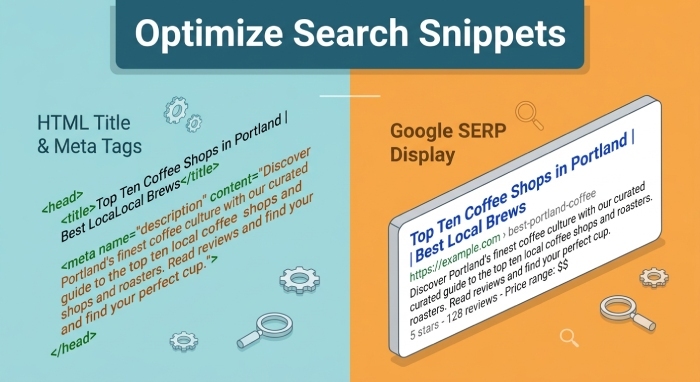
The SERP Preview feature helps you test how titles and meta descriptions may appear in Google. SERP Preview is especially useful for copywriters and SEO specialists who want to refine snippets before publishing. With SEO Minion, you can preview title length, description length, and keyword visibility, then improve the page’s search result appeal.
SERP Preview should be used alongside On-Page SEO checks. A title may look valid in the Analyze HTML panel, but the SERP Preview may show that it is too long, too vague, or missing the main query intent. For pages competing in Organic search results, better snippet alignment can improve click-through rates, even when Google rewrites some snippets dynamically.
SEO Minion’s SERP Preview is also valuable when evaluating pages targeting different search features, including FAQ listings, Product listings, News listings, Fresh listings, Image search results, and Video search results. Although the SERP Preview cannot guarantee exactly how Google displays every result, it gives a practical snapshot for improving Meta Tags and search messaging.
Feature #4: Hreflang Checker for International SEO Accuracy
The Hreflang Checker in SEO Minion helps international SEO teams validate language and regional targeting. If your site serves audiences in the European Union, India, the United States, or multiple language markets, incorrect hreflang annotations can cause Google to show the wrong version of a page. The Hreflang Checker makes these problems easier to detect directly in Chrome.
With the Hreflang Checker, you can inspect return tags, language-region codes, self-referencing annotations, and missing alternates. SEO Minion’s Hreflang Checker is particularly useful for ecommerce, SaaS, travel, and publishing sites that operate across countries. For example, a page targeting English users in India may need different signals than one targeting English users in the United Kingdom or the European Union.
Use the Hreflang Checker after template changes, CMS updates, and localization launches. Pair it with Analyze HTML to confirm that hreflang markup is present in the source or Rendered DOM, and review whether Javascript implementation creates Javascript SEO issues. Documentation and tool access are available through SEOMinion.com, where users can connect the workflow with Keywords Everywhere.
SERP, Link, and Redirect Workflows for Chrome Users
Feature #5: Google Search Location Simulator for Local SERP Research
The Google search location simulator is one of SEO Minion’s most popular SERP Utilities because it lets users test location-sensitive results. Local rankings often vary dramatically by city, country, language, and device context. With the Google search location simulator, you can review Real time SERP results for a specific market without physically being there.
This feature is valuable for local SEO, franchise SEO, international SEO, and competitive analysis. A query may show different Organic search results, Advert listings, Local listings, Google Maps packs, People Also Ask boxes, News modules, FAQs, and shopping-style Product listings depending on the searcher’s location. SEO Minion’s Google search location simulator helps you compare a Multi-location SERP and understand how visibility changes across regions.
The Chrome extension also supports SERP Utilities such as Download SERP Data and Copy URLs from SERP. These SERP Utilities can speed up competitor research by exporting Organic search results, People Also Ask, PAA data, and ranking URLs into an Excel file download for deeper analysis. If you use Keywords Everywhere, review the Keywords Everywhere SEO Minion page and the Keywords Everywhere plan pricing to understand which SERP Utilities require credits or a paid plan.
How SERP Utilities support competitive research
SEO Minion’s SERP Utilities are helpful when documenting Google SERP volatility, competitor movement, and local ranking differences. Use Download SERP Data for repeatable reporting, Copy URLs from SERP for competitor lists, and the Google search location simulator to compare location-based changes. These functions make SEO Minion more than a simple Chrome extension; they turn it into a lightweight SERP research assistant for Chrome users.
Feature #6: Highlight All Links to Review Internal, External, and Nofollow Links
Highlight All Links is a fast visual auditing feature that shows link types directly on the page. With Highlight All Links, SEO Minion can help distinguish Internal links, External links, nofollow links, sponsored links, and other link attributes. This makes the Chrome extension useful for reviewing navigation, footer links, editorial links, affiliate links, and partner references.
Highlight All Links is especially helpful during content QA. Editors can quickly see whether important Internal links are missing, whether External links open to the correct destination, and whether nofollow attributes are applied properly. Combined with the Broken Link Checker, Highlight All Links gives users a practical way to inspect link quality, link intent, and link accessibility before publication.
SEO Minion’s Highlight All Links feature also supports On-Page SEO analysis by exposing whether a page has enough contextual links to related resources. When paired with Analyze HTML, Highlight All Links can reveal discrepancies between visible page links and links rendered through Javascript. For practical demonstrations, video walkthroughs such as this SEO Minion tutorial on YouTube and another SEO Minion workflow video can help teams train junior SEOs and content managers.
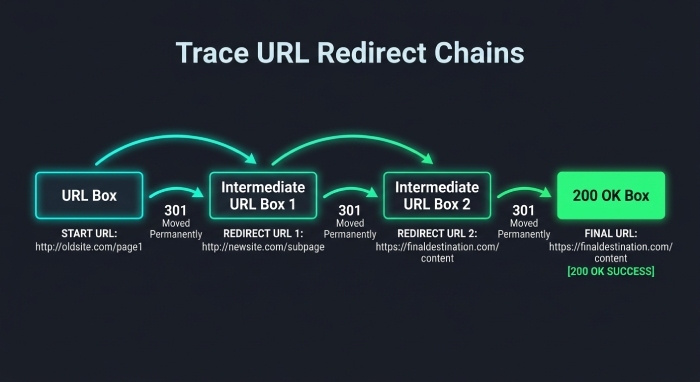
Feature #7: Redirect Checker to Trace URL Paths and Spot SEO Issues
The Redirect Checker in SEO Minion helps trace URL paths, identify Redirects, and review Status Codes. This is essential when diagnosing chains, loops, HTTP-to-HTTPS problems, outdated campaign URLs, and migration issues. A clean redirect path helps preserve equity and reduces unnecessary crawl friction, while long redirect chains can slow users and complicate indexing.
Use SEO Minion’s Redirect Checker alongside the Broken Link Checker, Hreflang Checker, SERP Preview, and Analyze HTML for a more complete technical review. For example, a localized page may pass the Hreflang Checker but still redirect users incorrectly based on location. Likewise, a page may look fine in SERP Preview but have Redirects or Status Codes that prevent Google from consistently accessing it.