August 5, 2026 · asma
7 Essential SEOquake Chrome Extension Features Every Marketer Should Know
Discover the seven essential SEOquake Chrome extension features that help marketers analyze websites faster, perform SEO audits, evaluate SERPs, inspect links, measure keyword relevance, compare competitors, and export SEO data for more efficient optimization workflows.

Why SEOquake Belongs in a Marketer’s Chrome Stack
SEOquake is a practical Chrome extension for marketers who need fast website analysis without opening a full SAAS platform every time they review a page, search query, or competitor domain. Available through the Chrome Web Store listing for SEOquake, the browser extension brings SEO metrics, SERP analysis, link analysis, keyword density checks, and SEO audit data directly into Google Chrome.
For a Content Marketer, SEO specialist, or Agencies managing multiple SEO tasks, SEOquake works as an SEO toolbar, SEO plugin, and lightweight site audit assistant. It does not replace platforms like Semrush, Ahrefs, Majestic, MozBar, WooRank, SEO Minion, FatRank, SCheckPro, Mangools, Sinbyte Seo, or a dedicated Backlink Analyzer, but it does give quick metrics insights when speed matters. Teams comparing browser-based utilities may also evaluate Chrome extension for SEO alongside SEOquake, especially when browser compatibility, usability, and fast website insights are priorities.
SEOquake is associated with Semrush and Semrush Inc., a company often referenced in business databases with details such as Boston, 800 Boylston St, D-U-N-S records, and regional compliance considerations for the EU. Support and product references may also point users toward mail@seoquaketeam.com or Semrush documentation.
Search Visibility and SERP Intelligence
Feature #1: SEO Bar for Instant Domain and Page Metrics
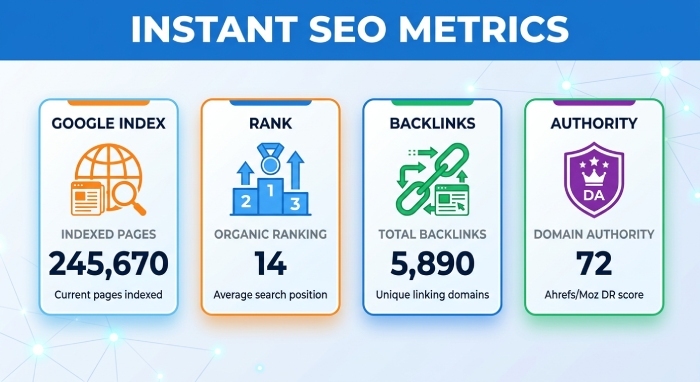
The SEO bar is one of SEOquake’s most useful features because it displays SEO metrics while you browse. Instead of moving between separate SEO tools, marketers can inspect a domain or landing page inside Google Chrome and instantly review visibility indicators, Google index status, SEMRush Rank, backlinks-related signals, and other SEO parameters.
This SEO toolbar is especially helpful during website reviews. If you are auditing a competitor’s page, validating a content brief, or checking SEO rankings after a campaign launch, the SEO bar offers fast website insights without slowing your workflow. The SEOquake Chrome extension overview on Softonic highlights the plugin-style convenience that makes this browser extension valuable for daily SEO tasks.
From a practical perspective, the SEO bar supports fast market analysis. You can open a competitor page, check SEO metrics, note its apparent authority, and decide whether deeper backlink analysis or technical SEO work is needed. For marketers who handle rank tracking or ranking position reviews, SEOquake helps identify whether a page deserves more detailed analysis in Semrush, Ahrefs, Majestic, or another Ranking Tool.
Feature #2: SERP Overlay for Competitive Search Results Analysis
The SERP overlay is where SEOquake becomes particularly powerful for SERP analysis. When you search on Google, SEOquake can display SEO metrics directly beneath each organic result. This helps marketers evaluate the competitive landscape around a search query without manually opening every URL.
For example, if you are assessing keyword difficulty, the SERP overlay gives quick context about competing pages, domains, indexed pages, and relative authority. Keyword difficulty is never just one number; it is shaped by domain strength, content quality, backlink analysis, internal links, external links, and the intent behind the search query. SEOquake helps you connect these SEO metrics to real ranking position patterns in the SERP.
The Semrush knowledge base guide to SEOquake is a useful reference for understanding how the Chrome extension connects with Semrush-style data. Marketers can customize SERP analysis with custom parameters, compare visibility across competitors, and build a stronger SEO comparison process before investing in content production. Compared with MozBar or SEO Minion, SEOquake’s SERP overlay is especially useful when keyword difficulty, SEO metrics, and exportable SERP data are central to your workflow.
On-Page and Content Diagnostics
Feature #3: Page SEO Audit for Quick On-Page Optimization Checks
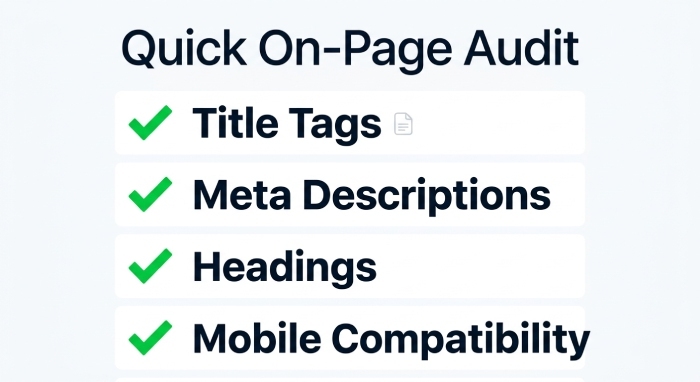
The SEO audit feature gives marketers a fast snapshot of on-page SEO issues. Rather than waiting for a full site audit, you can run a page-level SEO audit to identify common optimization problems involving title tags, meta descriptions, headings, image attributes, canonical tags, mobile compatibility, and technical SEO signals.
A quick SEO audit is valuable during publishing workflows. Before a landing page goes live, SEOquake can help confirm whether basic on-page SEO elements are in place. After publication, the same SEO audit can support website analysis by revealing gaps that affect visibility and SEO rankings. The tool is also useful for technical SEO triage when you need to decide whether an issue requires developer support or simple editorial updates.
Third-party tool directories such as Find SEO Tools’ SEOquake profile describe SEOquake as a convenient browser extension for quick checks. In practice, the SEO audit function is best used as a first-pass diagnostic. It can inform an SEO report, but deeper crawling tools may still be needed for enterprise-scale site audit work. For Agencies, this quick SEO audit process is ideal for early-stage website reviews and sales discovery calls.
Feature #4: Keyword Density Report for Content Relevance Insights
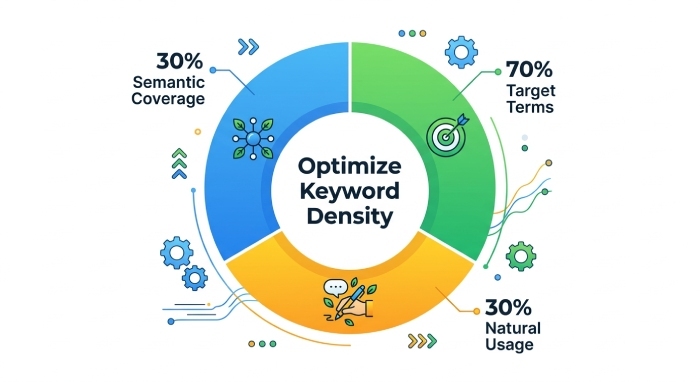
The keyword density report helps marketers evaluate whether a page uses target terms naturally and comprehensively. Keyword density should not be treated as a rigid ranking formula, but it remains useful for identifying missing topics, overused phrases, and weak content relevance signals.
With SEOquake, keyword density data can reveal whether a page adequately covers its primary theme. If a target page is meant to rank for “keyword difficulty,” for example, but the content barely mentions keyword difficulty or related concepts, the page may lack topical depth. Conversely, if keyword density is too high, the copy may appear forced or spammy. SEOquake also includes options such as a stop-word list, allowing cleaner analysis of meaningful terms.
A resource like Twaino’s overview of SEOquake SEO metrics gives additional context on how the Chrome extension supports content and metrics insights. For content teams, keyword density should be evaluated alongside SERP analysis, keyword difficulty, internal links, external links, and user intent. The strongest pages usually balance semantic coverage, readability, link analysis, and on-page SEO structure.
Link, Competitor, and Reporting Workflows
Feature #5: Internal and External Link Analysis for Smarter Link Audits
SEOquake’s link analysis tools help marketers inspect internal links and external links on a page. This is important because internal links influence crawl paths, page authority distribution, and user navigation, while external links can affect trust, citation quality, and editorial credibility.
During link analysis, marketers can review anchor text, identify NoFollow attributes, and evaluate whether internal links support priority pages. Strong internal links help search engines understand site architecture, while weak internal links can leave valuable content isolated. External links should also be reviewed for relevance, quality, and user value. Poor external links can weaken trust, while useful external links can strengthen content credibility.
For backlink analysis, SEOquake is not a full replacement for Ahrefs, Majestic, or Semrush, but it works well as a quick inspection layer. The Chrome extension helps flag pages that need deeper review with a Backlink Analyzer or technical SEO platform. When combined with website analysis and SEO audit workflows, link analysis can uncover missed opportunities to improve usability, authority flow, and SEO rankings.
Feature #6: Compare URLs and Domains Tool for Benchmarking Competitors
The compare URLs and compare domains feature is useful for benchmarking competitor pages. Instead of relying on intuition, marketers can compare SEO metrics across several pages or domains and identify patterns that may explain stronger visibility. This is particularly useful for market analysis, SERP analysis, and content planning.
When you compare URLs, look beyond a single score. Review Google index status, ranking position, keyword difficulty, link analysis, internal links, external links, and content relevance. When you compare domains, evaluate broader authority signals, SEMRush Rank, backlink analysis indicators, and overall SEO comparison data. These comparisons help determine whether your page needs stronger content, better technical SEO, more internal links, higher-quality external links, or a more authoritative backlink profile.
Coverage from sources such as Chrome Unboxed’s review of SEOquake for instant site analytics reinforces how convenient the extension can be for browser-based website insights. For Agencies, compare domains and compare URLs workflows are especially useful during prospecting, competitive audits, and SEO report preparation.
Feature #7: Exportable SEO Data Reports for Faster Marketing Workflows
SEOquake makes it easy to export SEO data, helping marketers document, share, and analyze insights beyond the browser. Reports can be downloaded in CSV format, allowing teams to organize SEO metrics, SERP analysis, keyword density results, and link analysis data in spreadsheets for easier tracking and reporting.
This feature is particularly valuable when preparing SEO reports. Rather than manually copying information, users can export data from SERP overlays, page analyses, and SEO audits in just a few clicks. CSV exports simplify tasks such as prioritizing pages, comparing URLs, reviewing internal and external links, and monitoring keyword performance over time.
Exportable reports also improve collaboration across marketing teams. Content marketers can share keyword density insights with writers, technical SEO specialists can review audit findings more efficiently, and account managers can include SEO metrics in client reports and website performance reviews. Combined with customizable parameters and structured CSV exports, SEOquake transforms quick browser-based SEO checks into organized, shareable reporting assets that support better decision-making and more efficient workflows.