July 28, 2026 · asma
The Best SEO Browser Extensions to Boost Website Analysis and Productivity
Discover the best SEO browser extensions for website analysis, technical SEO, keyword research, competitor insights, and productivity in one complete guide.
Search engine optimization (SEO) requires the right combination of expertise and tools. While comprehensive SEO platforms provide in-depth data, browser extensions make it possible to analyze websites, inspect technical elements, and gather SEO insights without leaving your browser.
Whether you're an SEO professional, digital marketer, website owner, or content creator, installing the right browser extensions can significantly improve your workflow. From checking metadata and identifying broken links to analyzing page speed and reviewing backlinks, these lightweight tools help you make informed optimization decisions quickly.
In this guide, we'll explore some of the**** Best SEO browser extensions available, their key features, and how they can support your daily SEO activities.
Why Use SEO Browser Extensions?
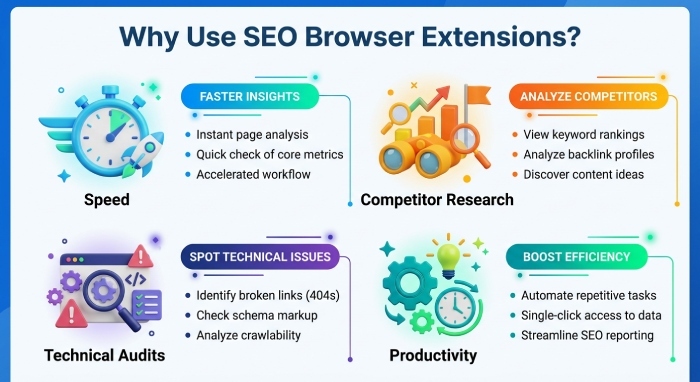
Browser extensions bring SEO insights directly into your browsing experience. Instead of logging into multiple tools or manually inspecting source code, you can view important website metrics with just a click.
Some common benefits include:
- Faster website analysis
- Easy competitor research
- Technical SEO auditing
- On-page optimization checks
- Backlink analysis
- Keyword research support
- Improved productivity
- Quick troubleshooting
Most extensions work with Google Chrome, while many are also compatible with Microsoft Edge, Brave, Opera, and other Chromium-based browsers.
Features to Look for in an SEO Browser Extension
Not every SEO extension offers the same functionality. Before choosing one, consider whether it provides:
- Page title and meta description analysis
- Heading structure inspection
- Canonical URL detection
- Robots directives
- Structured data validation
- Internal and external link analysis
- Redirect checking
- Image optimization insights
- Page speed information
- Keyword data
- Backlink metrics
Choosing extensions that complement your workflow can save considerable time.
Top SEO Browser Extensions
1. Detailed SEO Extension
Detailed SEO is designed for quick on-page analysis. It displays important SEO elements without requiring you to inspect the page source manually.
Key features include:
- Meta titles
- Meta descriptions
- Canonical tags
- Heading hierarchy
- Open Graph tags
- Twitter Cards
- Robots directives
- Structured data overview
This extension is ideal for content audits and competitor analysis.
2. SEOWORX
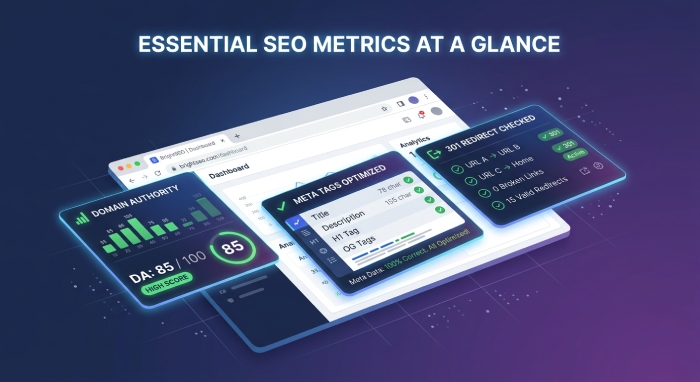
SEOWORX is an SEO browser extension that combines on-page SEO analysis with search result metrics, helping users evaluate websites directly from their browser. It displays SEO insights while browsing Google Search and provides detailed page-level information without requiring multiple tools.
Key features include:
- SERP SEO metrics
- Domain Authority and Page Authority
- Organic keyword and traffic insights
- Heading structure analysis (H1–H4)
- Meta title and canonical tag inspection
- Internal and outbound link analysis
- Word count analysis
- Analytics trend overview
- Quick on-page SEO audit
3. SEO Minion
SEO Minion is one of the most popular free SEO browser extensions.
Its capabilities include:
- On-page SEO analysis
- Broken link detection
- SERP preview
- Heading checks
- Link highlighting
- Hreflang validation
It's especially useful for SEO beginners and professionals who need quick page evaluations.
4. MozBar
MozBar provides valuable domain-level SEO metrics while browsing.
Popular features include:
- Domain Authority
- Page Authority
- Link metrics
- Keyword highlighting
- Page optimization review
- Search result overlays
It's commonly used during competitor research.
5. Ahrefs SEO Toolbar
The Ahrefs extension offers detailed page information for SEO analysis.
It allows users to inspect:
- Redirect chains
- Meta tags
- Canonical URLs
- Word count
- Header tags
- Robots directives
- Structured data
For Ahrefs subscribers, additional metrics become available.
6. Similarweb
Similarweb focuses on traffic intelligence rather than traditional SEO.
Useful metrics include:
- Estimated monthly visits
- Traffic sources
- Audience geography
- Engagement statistics
- Referral traffic
- Competitor comparisons
This makes it valuable for market research.
7. Lighthouse
Google Lighthouse helps evaluate website quality beyond SEO.
It measures:
- Performance
- Accessibility
- Best practices
- SEO
- Progressive Web App readiness
Developers and technical SEO specialists frequently use Lighthouse during website optimization.
8. Redirect Path
Redirect Path identifies HTTP status codes instantly.
It detects:
- 301 redirects
- 302 redirects
- 404 errors
- 500 server errors
- Redirect chains
- Redirect loops
This extension is invaluable during website migrations and technical audits.
9. Check My Links
Broken links negatively affect user experience and SEO.
Check My Links scans webpages and highlights:
- Valid links
- Broken links
- Redirected links
It's particularly useful for large resource pages.
10. Wappalyzer
Understanding the technology behind a website can provide valuable competitive insights.
Wappalyzer identifies:
- CMS platforms
- Analytics tools
- Web servers
- Marketing software
- E-commerce platforms
- JavaScript frameworks
This information is useful during competitive analysis.
11. Keywords Everywhere
Keywords Everywhere simplifies keyword research while browsing.
It can display:
- Search volume
- Cost per click
- Competition estimates
- Related keywords
- Long-tail keyword ideas
This helps marketers discover content opportunities.
12. Link Redirect Trace
Link Redirect Trace examines every redirect between the original URL and its final destination.
It also displays:
- HTTP headers
- Redirect types
- Robots directives
- Canonical information
This helps diagnose crawling and indexing issues.
13. SEO META in 1 Click
This extension provides an organized overview of a webpage's SEO elements.
It includes:
- Titles
- Descriptions
- Headings
- Images
- Structured data
- Links
- Meta robots
- Language settings
Its clean interface makes technical reviews much faster.
Browser Extensions for Technical SEO
Technical SEO professionals often rely on extensions that reveal hidden page information.
Recommended tools include:
- Lighthouse
- Redirect Path
- SEO META in 1 Click
- Ahrefs SEO Toolbar
- Detailed SEO
Together, these extensions help identify indexing, crawling, and page structure issues.
Browser Extensions for Content Optimization
Content creators can benefit from tools that improve readability and keyword optimization.
Useful options include:
- SEO Minion
- Keywords Everywhere
- Detailed SEO
- Grammarly
- LanguageTool
These tools streamline the writing and optimization process.
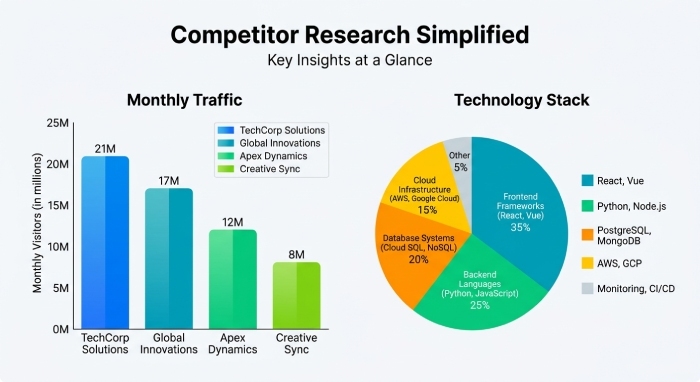
Browser Extensions for Competitor Research
Competitive analysis becomes easier with browser extensions that reveal website metrics and technologies.
Helpful tools include:
- Similarweb
- MozBar
- Wappalyzer
- Ahrefs SEO Toolbar
They provide insights into traffic, authority, technology stacks, and optimization strategies.
Tips for Using SEO Browser Extensions
To get the most value from browser extensions:
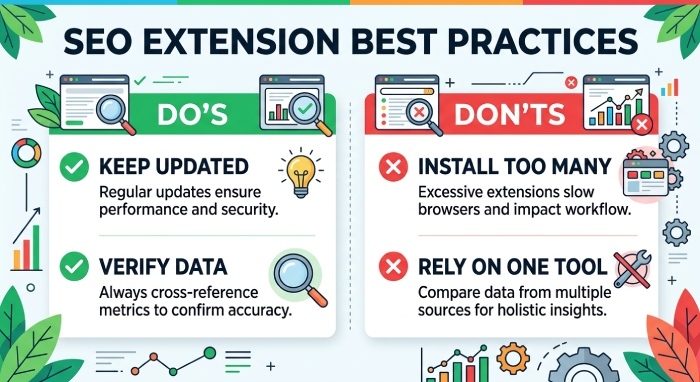
- Install only the tools you regularly use.
- Keep extensions updated.
- Cross-check important metrics with dedicated SEO platforms.
- Avoid relying on a single tool for major decisions.
- Disable extensions you don't need to maintain browser performance.
Common Mistakes to Avoid
While browser extensions are incredibly useful, they shouldn't replace a comprehensive SEO strategy.
Avoid these common mistakes:
- Assuming extension data is always perfectly accurate.
- Ignoring technical audits beyond browser checks.
- Installing too many extensions, which can slow your browser.
- Making optimization decisions based on one metric alone.
- Overlooking user experience while focusing only on SEO.
Choosing the Right SEO Browser Extensions
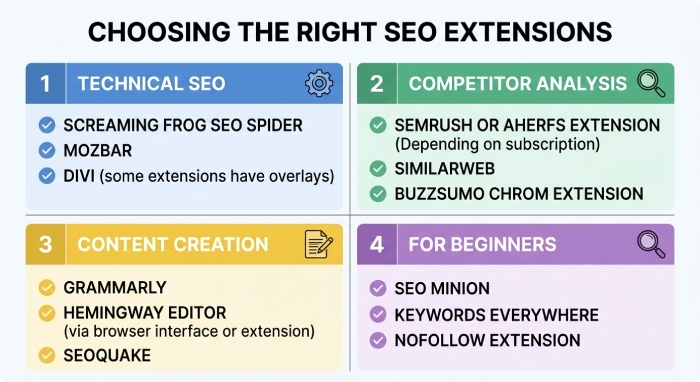
The ideal extension depends on your goals.
- For beginners: SEO Minion, Detailed SEO, SEO META in 1 Click
- For technical SEO: Lighthouse, Redirect Path, Link Redirect Trace
- For keyword research: Keywords Everywhere
- For competitor analysis: Similarweb, MozBar
- For website technology insights: Wappalyzer
A combination of two or three complementary tools is often more effective than installing dozens of extensions.
Frequently Asked Questions
Are SEO browser extensions free?
Many offer free versions with essential features, while some provide premium plans with additional functionality.
Can browser extensions improve search rankings?
No. They don't directly influence rankings, but they help identify issues and opportunities that can improve SEO performance.
Which browser is best for SEO extensions?
Google Chrome offers the widest selection, though most Chromium-based browsers also support these extensions.
Are browser extensions accurate?
They provide helpful insights, but data may vary between tools. For critical decisions, verify information using dedicated SEO platforms.
Do too many extensions affect browser performance?
Yes. Running numerous extensions simultaneously can consume memory and slow down your browser, so it's best to keep only the ones you actively use.
Final Thoughts
SEO browser extensions are valuable additions to any digital marketer's toolkit. They simplify website analysis, speed up technical audits, and provide instant access to important SEO metrics without interrupting your workflow.
Whether you're optimizing your own website, researching competitors, or conducting routine SEO audits, the right combination of browser extensions can save time and improve efficiency. By selecting tools that align with your specific goals and verifying their insights with comprehensive SEO platforms, you'll be better equipped to make informed optimization decisions and maintain a healthy, search-friendly website.